From early concept
to faster implementation.
I led dSense’s zero-to-one product development, evolving AssistPlus into an indoor asset and resource tracking product.
The product idea
Use Bluetooth Low Energy (BLE) devices to locate and manage assets and resources indoors. Location data gives business teams visibility into where resources are and how they move through a facility.
The starting point: AssistPlus
The initial product, AssistPlus, was an early concept with limited functionality. B2B implementation took around one month. My work focused on redesigning the product and making customer onboarding faster.
My role
As lead product manager for this transition, I led the product redesign and introduced a widget-based implementation approach alongside automation in onboarding.
The product decisions
- Widget-based implementation: introduced a configurable approach to setting up the product for B2B customers.
- Onboarding automation: automated onboarding steps to help shorten the implementation process.
- Focus on adoption: treated the time required to onboard a customer as a product problem to address through the redesign.
The outcome
Together, these changes helped reduce B2B implementation and onboarding from around one month to less than a week.
From physical floors to digital twins
Each organisation can add multiple floors and use indoor tracking to create a digital twin of each space. The floor overview brings those spaces together, with resource and spot counts and a live-view entry point for each floor.
This gives operations teams a way to move from an organisation-wide floor list into the location and movement of resources within a specific space.
From floors to individual spots
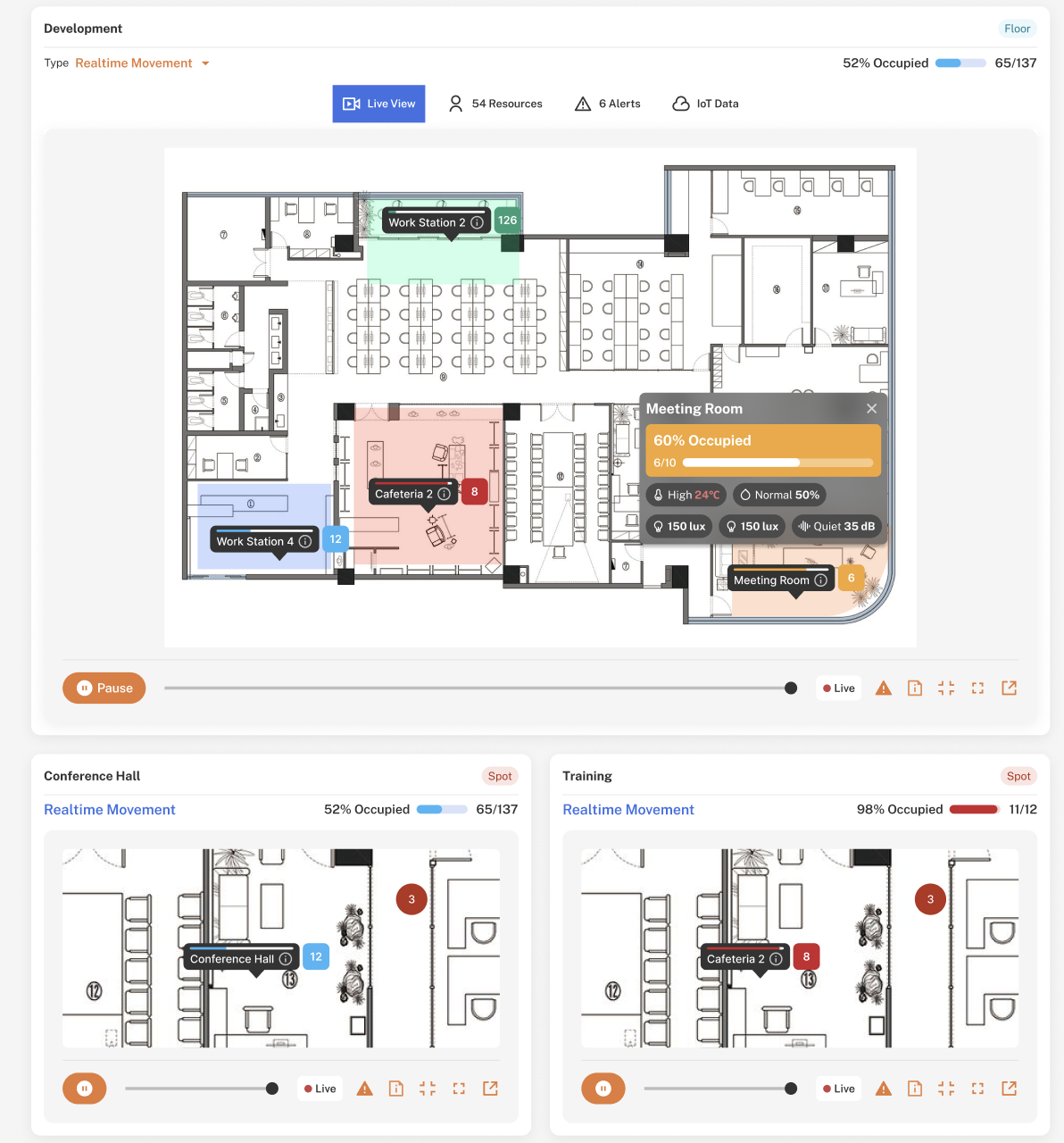
Each floor can be divided into multiple spots, such as meeting rooms, workstations or shared areas. The Spots view brings resource counts and occupancy together with temperature, light level (lux) and humidity readings where sensors are configured.
Teams can filter by floor and open a spot’s live view to monitor real-time asset movement. This connects environmental conditions with the location and use of resources in the same space.
Design exploration in Figma
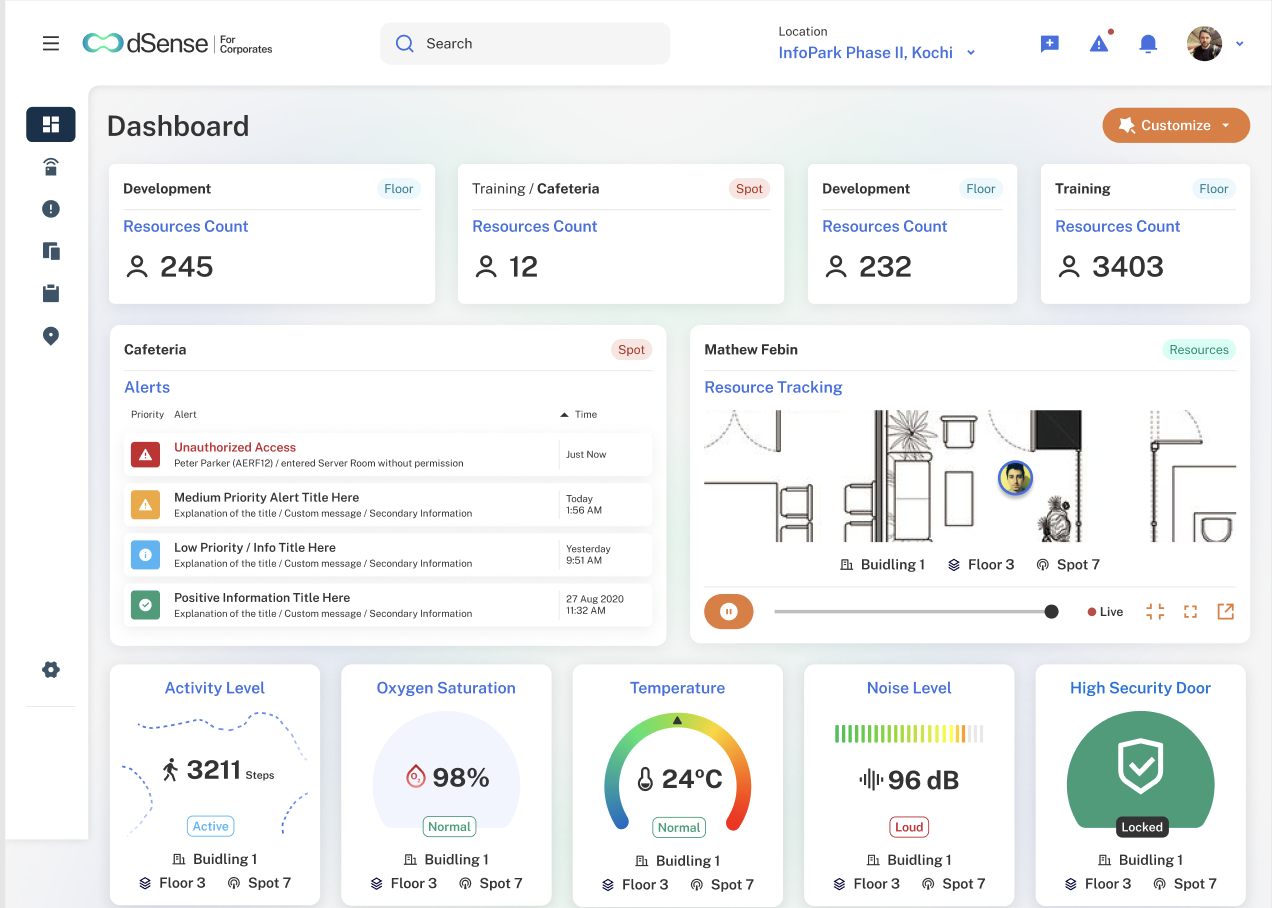
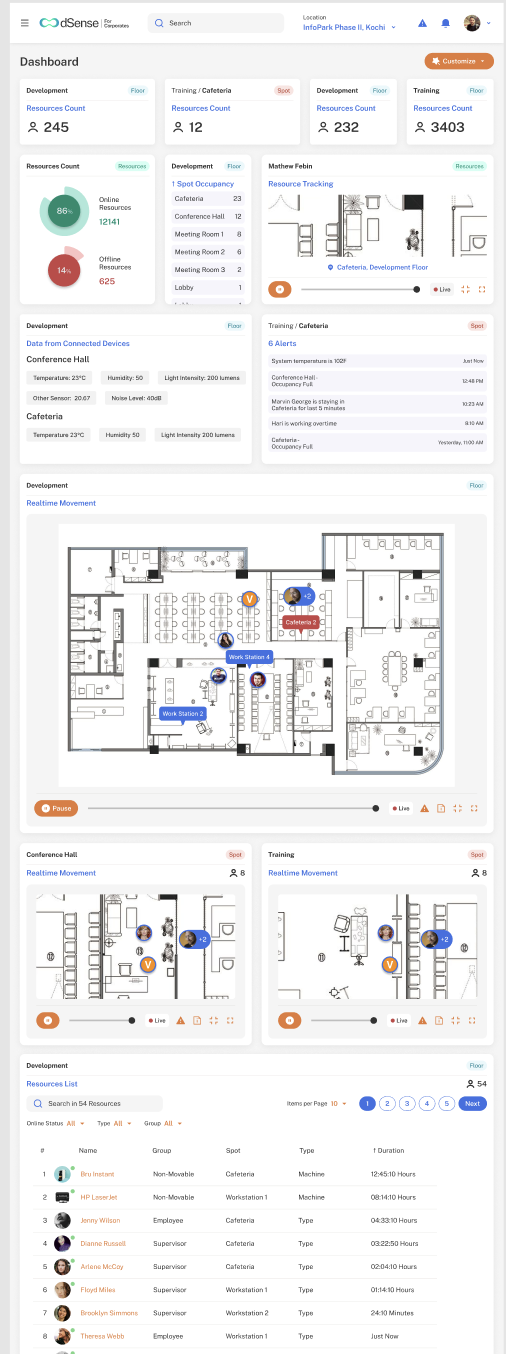
The dashboard concept brings resource counts, occupancy, connected-device data, alerts and indoor movement into a widget-based layout. It shows how different operational views could sit together in one configurable experience.
The product in practice
These product screenshots illustrate the dashboard and monitoring experience. Select an image to open the full-size screenshot in a new tab.
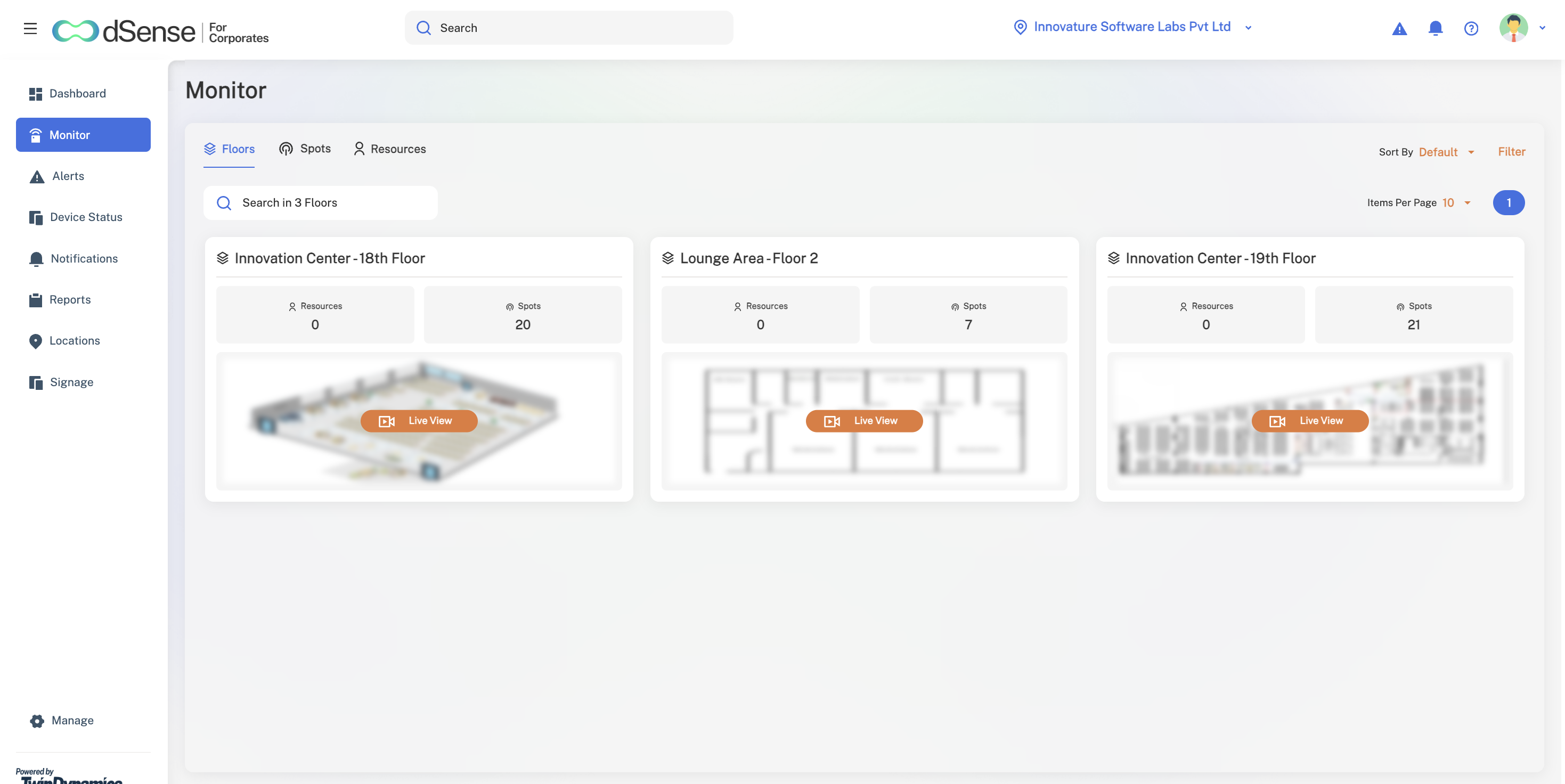
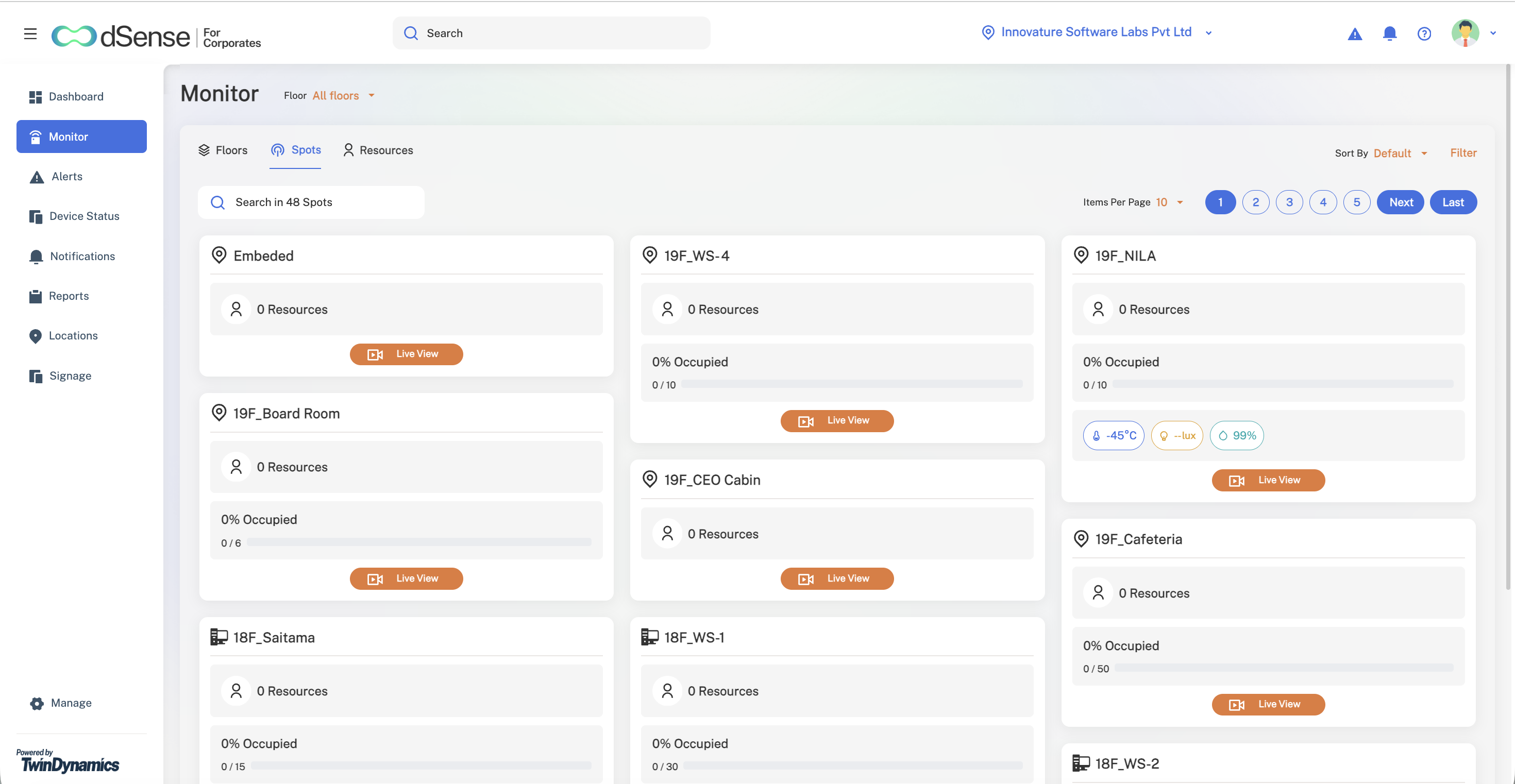
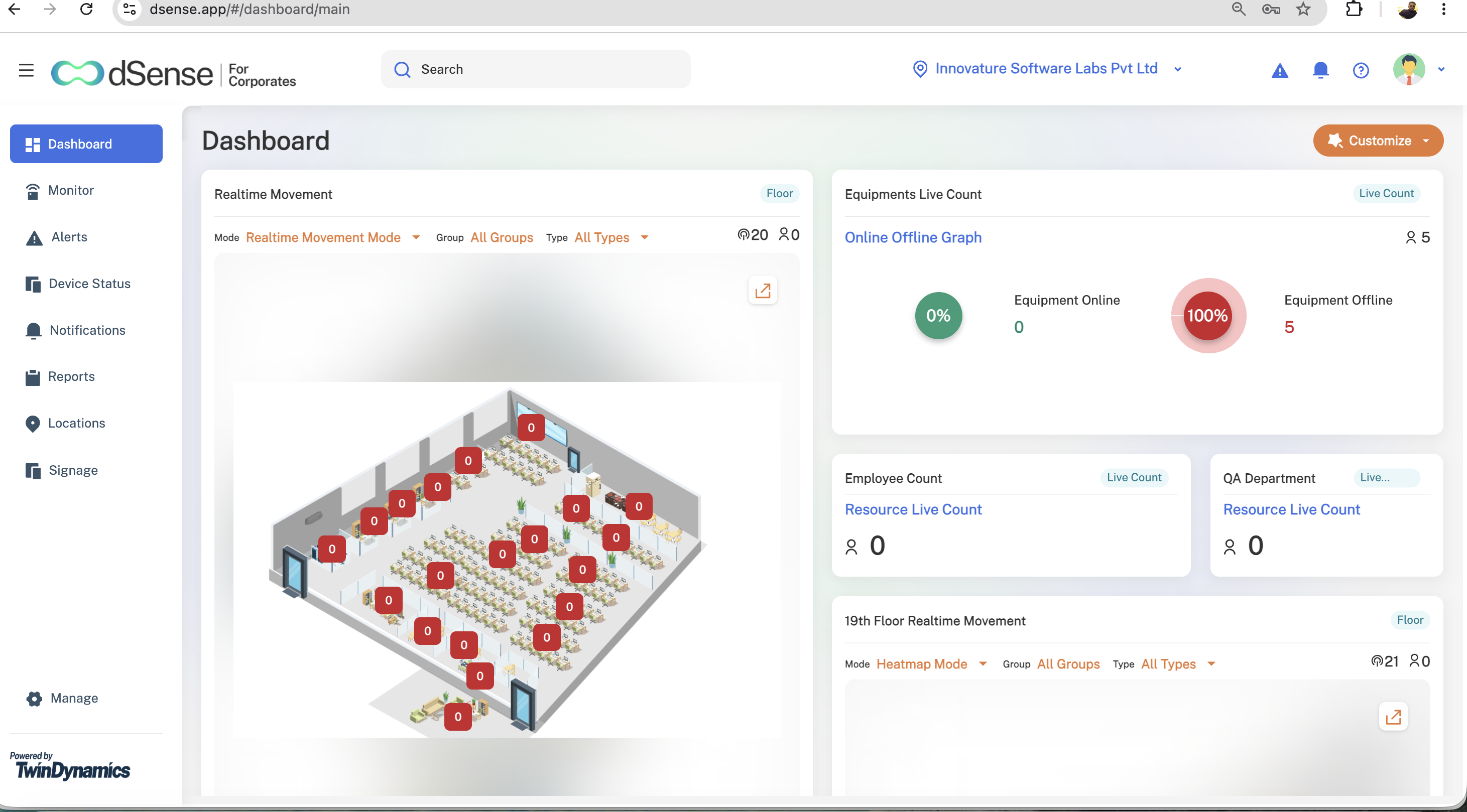
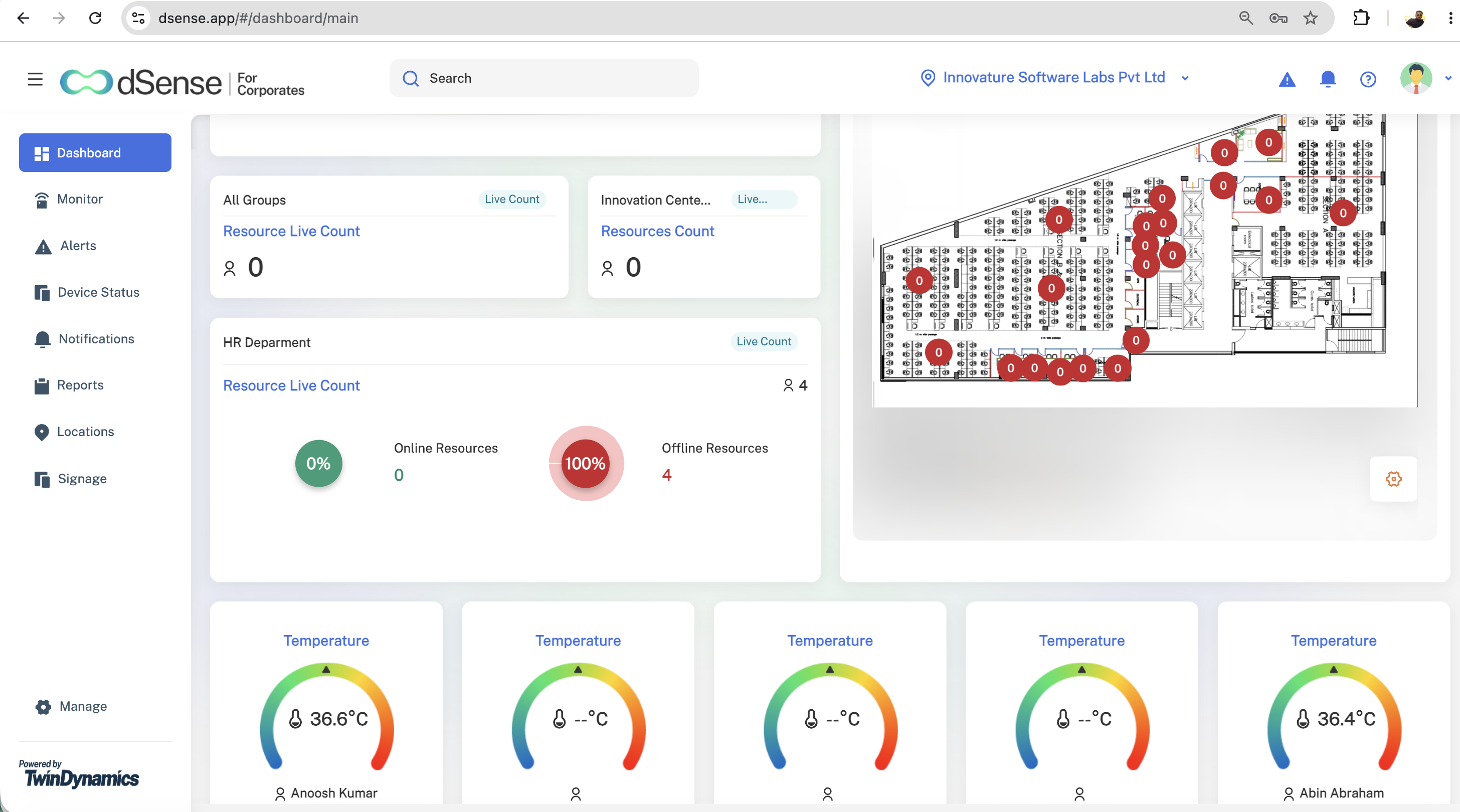
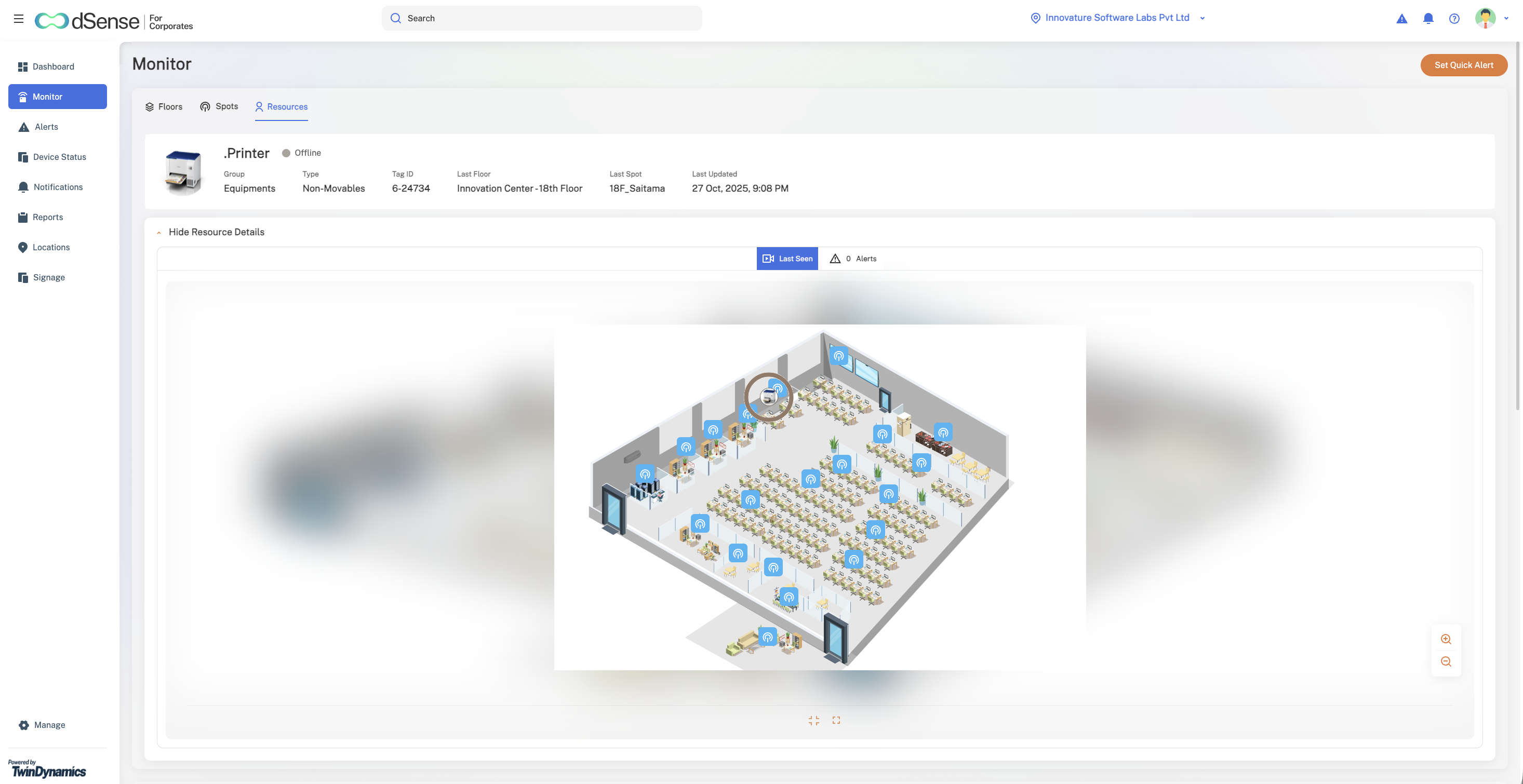
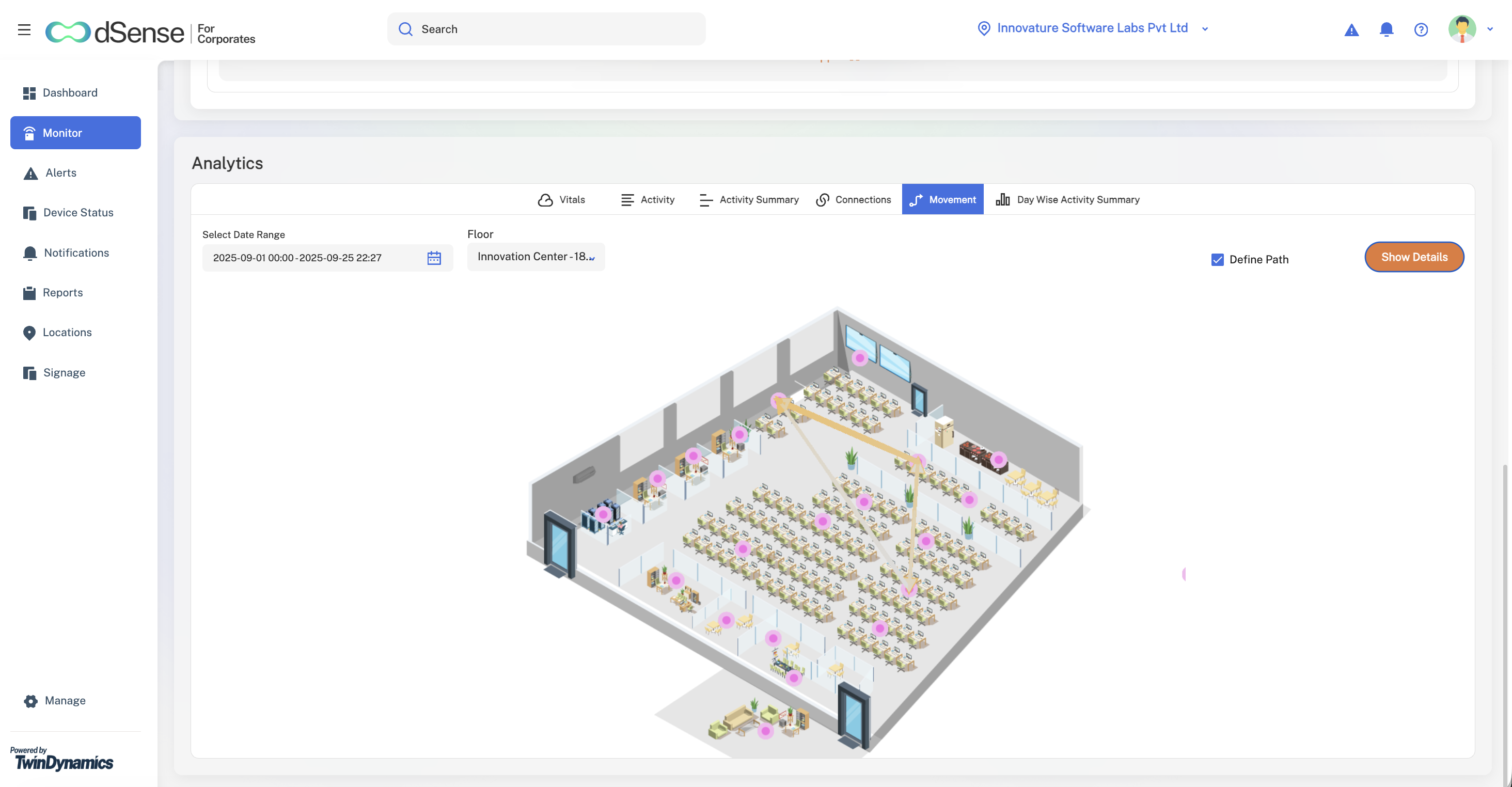
Screenshots illustrate product functionality; displayed readings are not evidence of business outcomes.
Reporting for operational decisions
Reporting extends indoor tracking into a review of how spaces and resources are used. Date, floor and group filters help teams focus their analysis, with export options for further review.
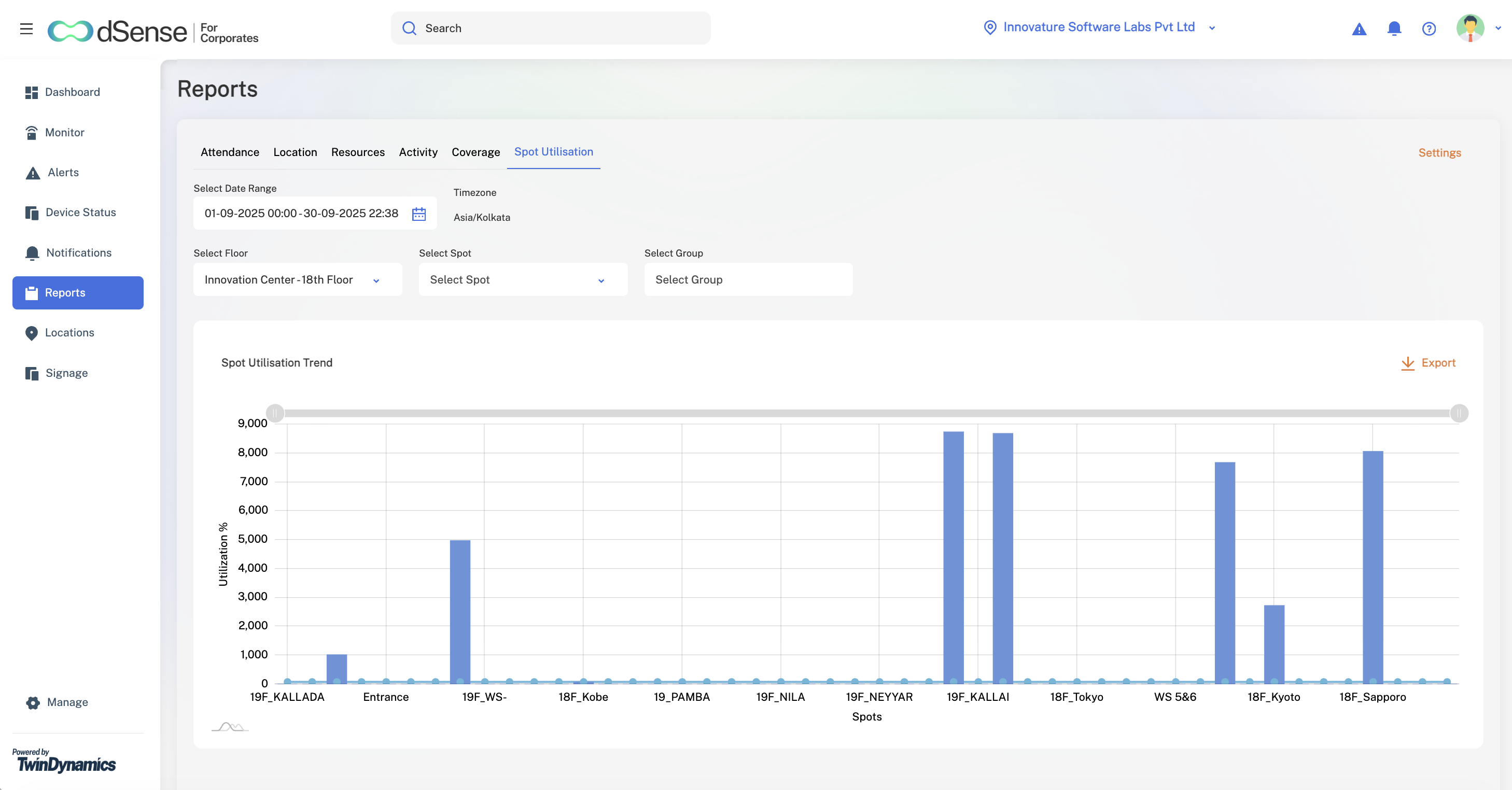
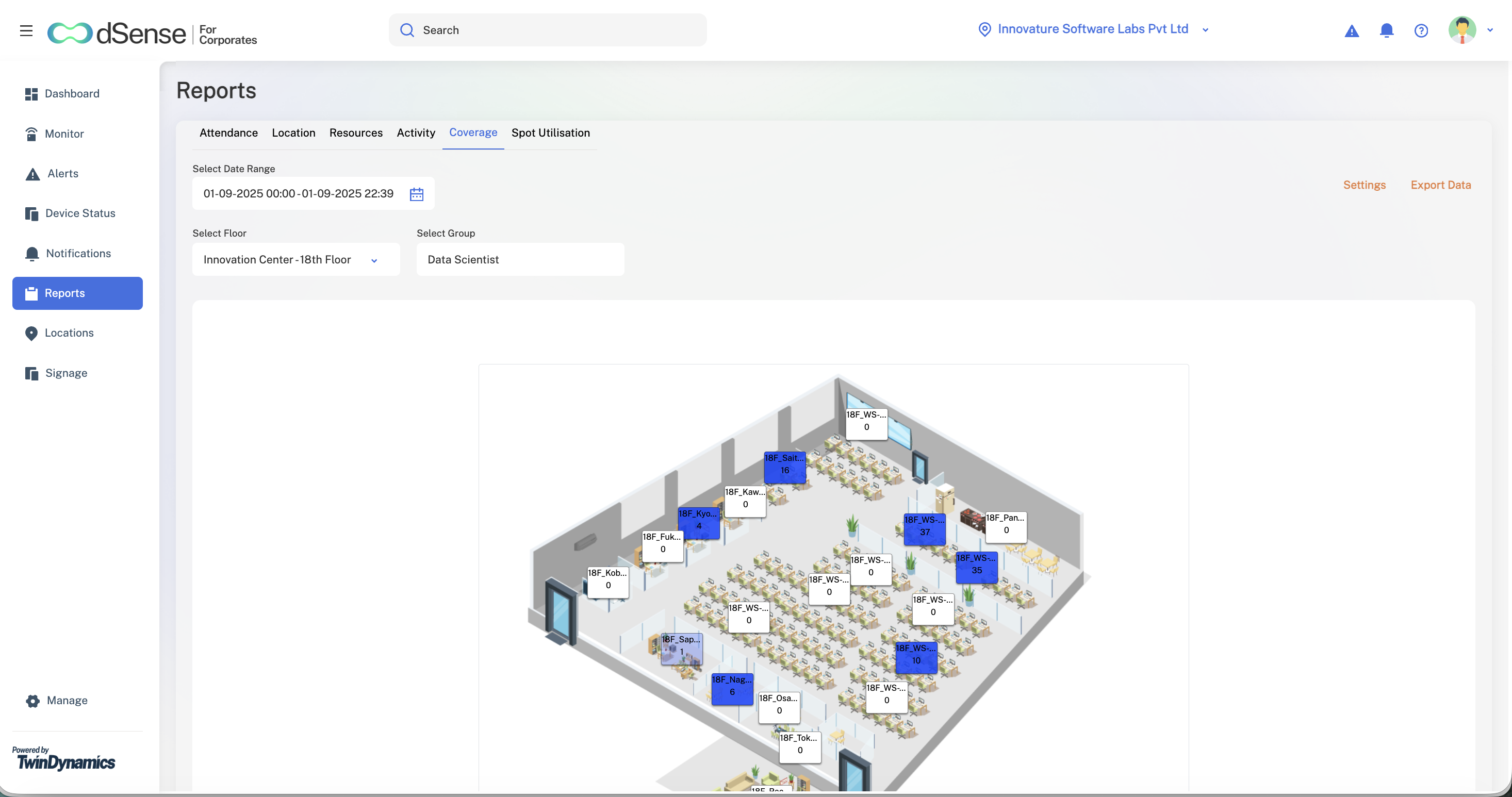
Report screenshots demonstrate the interface and available views; their displayed values are not project outcome metrics.
Product context today
The current dSense website describes a digital twin platform that uses location data to support asset tracking and resource management. That provides context for the product today; this case study focuses on my work during its earlier development.
Visit the dSense product websiteImplementation timings are approximate, based on my project experience. Current product information: dSense.